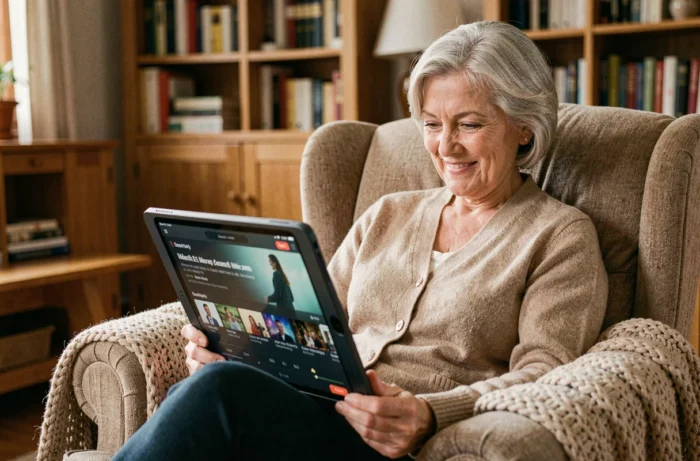
Watching a movie or a series from your couch without handling an antenna or a DVD player is what streaming offers. Kalbap Streaming is aimed at people who want to access video content without getting lost in complicated menus. The service focuses on an interface designed for seniors, featuring clear visual cues and a simplified journey from connection to program launch.
Digital Accessibility: What European Regulations Change for Senior Streaming
Most guides on streaming for seniors only explain how to create an account or choose a subscription. They overlook a much more structural topic: the legal obligations that transform video platforms.
The European Accessibility Act requires audiovisual media services to make their interfaces usable by everyone. This applies to applications, websites, and video players. The reference technical standard is EN 301 549, aligned with WCAG 2.1 level AA criteria, with an extension planned towards WCAG 2.2 for new services.
In practical terms, this means that buttons, menus, and controls must be readable and reachable without any particular visual effort. A compliant video player allows for enlarging subtitles, separating the volume of audio description from that of the program, and navigating via keyboard or a simplified remote control.
The Audiovisual Media Services Directive (AVMSD) complements this framework by imposing a gradual improvement of the accessibility of the content itself: subtitles, audio description, sign language. For a service like Kalbap Streaming, which targets a senior audience, adhering to these standards is not a marketing bonus. It is a regulatory obligation that shapes the entire user experience.
To better understand what the new name Kalbap on IDEOSENIOR encompasses, one must look at how this compliance translates into the interface offered to users.
Kalbap Streaming Interface: Design Choices That Facilitate Viewing
Have you ever noticed that some video applications display dozens of tiny thumbnails on the same screen? This type of presentation poses a problem when vision declines or when using a tablet at arm’s length.
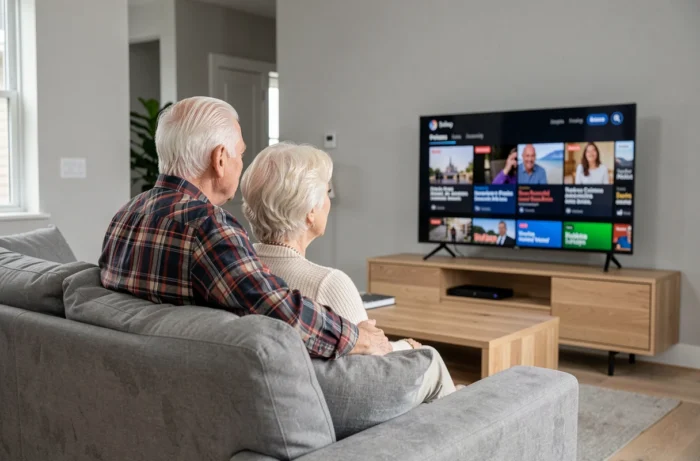
Kalbap Streaming takes a different approach. The home screen displays few contents at a time, with large visuals and titles in bold font. The idea is simple: reduce the number of visible choices to speed up decision-making.
Navigation and Visual Cues
Program categories are identified by distinct colors and explicit icons. A movie is marked by a film reel icon. A documentary has a globe symbol. These graphic cues replace the nested text menus found on most generalist platforms.
The video player incorporates oversized controls: pause, rewind, volume. Each control is accessible with a single touch gesture or click. No double-tap, no mandatory side-swipe.
Subtitles and Audio Description
Activating subtitles does not require digging into a sub-menu. A dedicated button appears directly on the playback screen. The size of the subtitles can be adjusted with a slider, without leaving the ongoing video.
For audio description, the volume is controlled separately from the main sound. This separation, made necessary by European directives, allows for adjusting the descriptive narration without increasing the volume of the dialogues.
Choosing a Suitable Device for Senior Streaming
The device used radically changes the experience. A smartphone with a screen of a few centimeters does not offer the same comfort as a tablet or a connected television.
- The tablet remains the most suitable compromise: a screen large enough to read subtitles, lightweight, usable from an armchair or bed. A model with a minimum ten-inch screen provides good visual comfort.
- The connected TV (Smart TV) allows for returning to the habit of a large screen. The Kalbap app launches from the remote control, without needing to plug in an additional box.
- The laptop is suitable if the person already uses it daily, but navigation with the touchpad is less intuitive than a direct touchscreen.
- The streaming box (like an HDMI stick plugged into the TV) adds an installation step that can be discouraging. Best reserved for those who have assistance during setup.
The best device is the one that the person already uses for other activities (video calls, reading, photos). Changing the medium creates a break in habit that hinders adoption.

Senior Streaming and Social Connection: Beyond Entertainment
Watching a program in streaming is not just a solitary activity. Some features allow for sharing the experience remotely. Kalbap Streaming includes the ability to watch a movie simultaneously with a loved one, each in their own home, with an automatic synchronization system.
This type of shared viewing has a concrete effect on isolation. Having a regular appointment to watch a series with a child or a friend structures the week and creates a conversation topic. The program becomes a pretext for connection, not an end in itself.
The platform also offers recommendations based on expressed tastes, without an opaque algorithm. The user checks genres (comedy, history, nature) and receives filtered suggestions. No endless scrolling, no automatic playback of the next program, two mechanisms often sources of visual fatigue.
Streaming designed for seniors is not just about enlarging the buttons of a standard interface. It involves rethinking the pace of navigation, the density of information on the screen, and the space left for user control. Kalbap Streaming makes this simplification a design choice, not an option buried in the settings.